Know Your Budget and Priorities
Before you get lost in spec sheets and RGB lighting, lock down your total budget. Build around it not beyond it. Chasing the top shelf gear can wreck your wallet fast. Know your ceiling and stick to it.
Now, let’s talk priorities. Performance is king, but not every part pulls equal weight in gaming. Your GPU does the heavy lifting, so put the biggest slice of your budget there. Next comes the CPU get something solid, but don’t overspend chasing minimal gains. RAM matters too, but 16GB is the current sweet spot for most new titles. More than that? Usually overkill.
Don’t forget the rest of the setup. Your rig’s no good without a decent monitor. Peripherals like your keyboard, mouse, and a legit headset matter if you play competitively (or just hate laggy input). And make sure your power supply can actually handle what you’re building skimp there, and you risk frying your whole investment.
Bottom line: spend smart where it counts, and always plan the full build not just the tower.
Core Components That Stretch Your Dollar
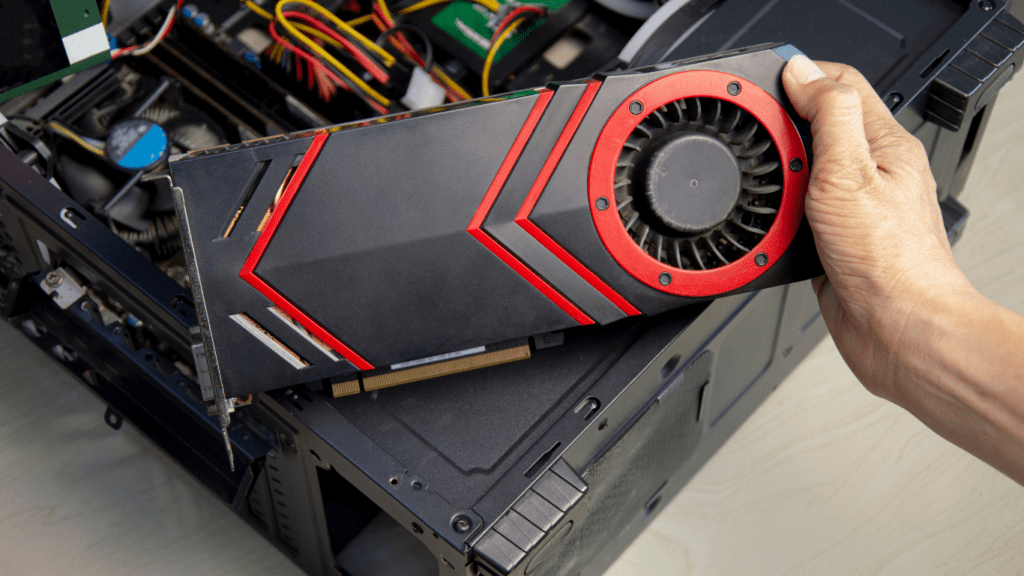
Graphics Card: When it comes to gaming performance, the GPU is your workhorse. Right now, the best value per frame cards are last gen mid tier options like the NVIDIA RTX 3060 or AMD RX 6700 XT. They punch well above their weight in 1080p and handle 1440p without much sweat. Skip the hype around top tier launches unless you’re chasing ultra settings at 4K. For most setups on a budget, used or lightly refurbished cards off trusted marketplaces offer solid returns.
CPU: You don’t need a flagship processor to run AAA games smoothly. Chips like the AMD Ryzen 5 5600 or Intel Core i5 12400F offer excellent multi thread performance and pair well with midrange GPUs. You want something fast enough to avoid bottlenecks but not overpriced for features most games barely use.
RAM: 16GB is the practical sweet spot. More than enough for gaming, streaming, and light multitasking. Don’t get caught chasing big numbers focus on speed (at least 3200MHz for DDR4) and dual channel configuration. RAM prices have dropped, so stick with reliable brands and future proof with upgradable slots.
Storage: NVMe SSDs have come down hard in price and are now a must. A 1TB NVMe drive will keep your OS, games, and a few key apps blazing fast. If you’re pinched on cash, start with 500GB and plan to add later. Avoid spinning hard drives unless you need bulk storage for cheap.
For a full breakdown (with part lists and compatibility tips), check out our go to PC build guide. No fluff. Just what works.
Smart Choices for Peripherals

A powerful rig means nothing if your peripherals lag behind. Here’s how to keep your gear sharp without wrecking your budget.
Monitor: Your display sets the tone, and a high refresh rate makes gameplay smoother especially in competitive titles. Look for 1080p panels with at least 144Hz, fast response times (under 5ms), and FreeSync/G SYNC support if possible. Brands like AOC, ViewSonic, and Gigabyte offer solid options under $200. Don’t get distracted by 4K unless it’s a true need it’ll cost more and pull harder on your GPU.
Mouse & Keyboard: Go for reliability and response. Brands like Redragon, Logitech, and Glorious make budget friendly mechanical keyboards and mice with respectable polling rates and customizable DPI. A decent mechanical keyboard will outlast three membrane ones. Look for programmable keys, wired connections (for lower latency), and ergonomic shapes that fit how you actually play.
Headset: Audio immersion matters so do team callouts. Prioritize something with crisp mids and highs, and a mic that cuts background noise. You don’t need a $300 pair. Models from HyperX, Corsair, and SteelSeries under $70 often punch above their weight. Bonus tip: USB headsets tend to be plug and play and more consistent across systems.
Must Haves vs. Optional Upgrades: You need a solid display, decent keyboard/mouse combo, and a headset to get going. Nice to haves like wireless gear, RGB, or dual monitors can wait. Focus on function before flash. Build your loadout like your rig: efficient, upgradable, and game ready.
Cost Saving Tips That Don’t Sacrifice Power
You don’t need to empty your bank account to get smooth frame rates. Smart cuts can save serious cash without gutting performance.
Start with the GPU. Used or refurbished graphics cards can still pack a punch just buy from trusted sources. eBay sellers with high ratings, certified refurbishers, or local deals where you can test the card first are your safest bets. Avoid anything that’s too good to be true or lacks return policies.
Next: bundle deals. Watch for sites that group parts together CPU + motherboard combos, or GPU packages with free games. Sometimes you’ll find extra RAM or storage thrown in. Shop around, compare regularly, and always factor in shipping.
Going the DIY route for assembly not only slashes build costs, it sharpens your tech skills. It’s not rocket science; follow a good tutorial, lay out your parts, take your time. You’ll understand your system better plus you’ll skip the markup builders charge.
Last tip: cut software costs where you can. Use reliable free operating systems like Linux based distros or Windows installs with open source toolkits. Software alternatives like GIMP, LibreOffice, and OBS let you get operational without spending a dime.
Frugality doesn’t mean compromise. It just means building smarter.
Optimize Now, Upgrade Later
Future proofing sounds great until it eats your whole budget. Skip the hype. Build for today’s performance, but leave doors open for tomorrow. That means choosing a motherboard that supports newer CPUs, leaving room for extra RAM sticks, and staying under your power limit so upgrades won’t require ripping out your PSU.
Balance is everything. Pairing a top end GPU with a weak CPU or the other way around creates bottlenecks and wasted cash. Instead, match mid tier components that work well together now, and leave space to grow as games get more demanding.
For cooling and power, aim a bit above current needs. A quality power supply with a little headroom saves you from replacing it when you drop in a hungrier GPU next year. Decent cooling keeps thermals in check without sounding like a jet engine. Spend just enough here to stay stable, not flashy.
Bottom line: don’t max out on specs, max out on flexibility.
Final Notes Before You Hit “Buy”
Getting a solid gaming rig together is more than just slapping high end parts into a case. Compatibility matters. Pick the wrong CPU for your motherboard or underestimate your power supply, and you’ll waste time, money, or worse fry your components.
Before buying anything, use trusted configuration tools. Websites like PCPartPicker let you build your setup virtually, flag any part conflicts, and estimate power needs. Don’t guess. Triple check every spec: socket types, RAM speeds, GPU dimensions, PSU wattage. You don’t need surprises at checkout or on installation day.
Also, take a minute to scan through a reliable guide like this one: PC build guide. It’ll walk you through avoiding common mistakes and getting the most from every dollar spent.
Bottom line: this build is meant to crush modern games without wrecking your budget. A little planning now saves a lot of frustration later.